Works with TopstepX today.Built for focused prop firm workflows.
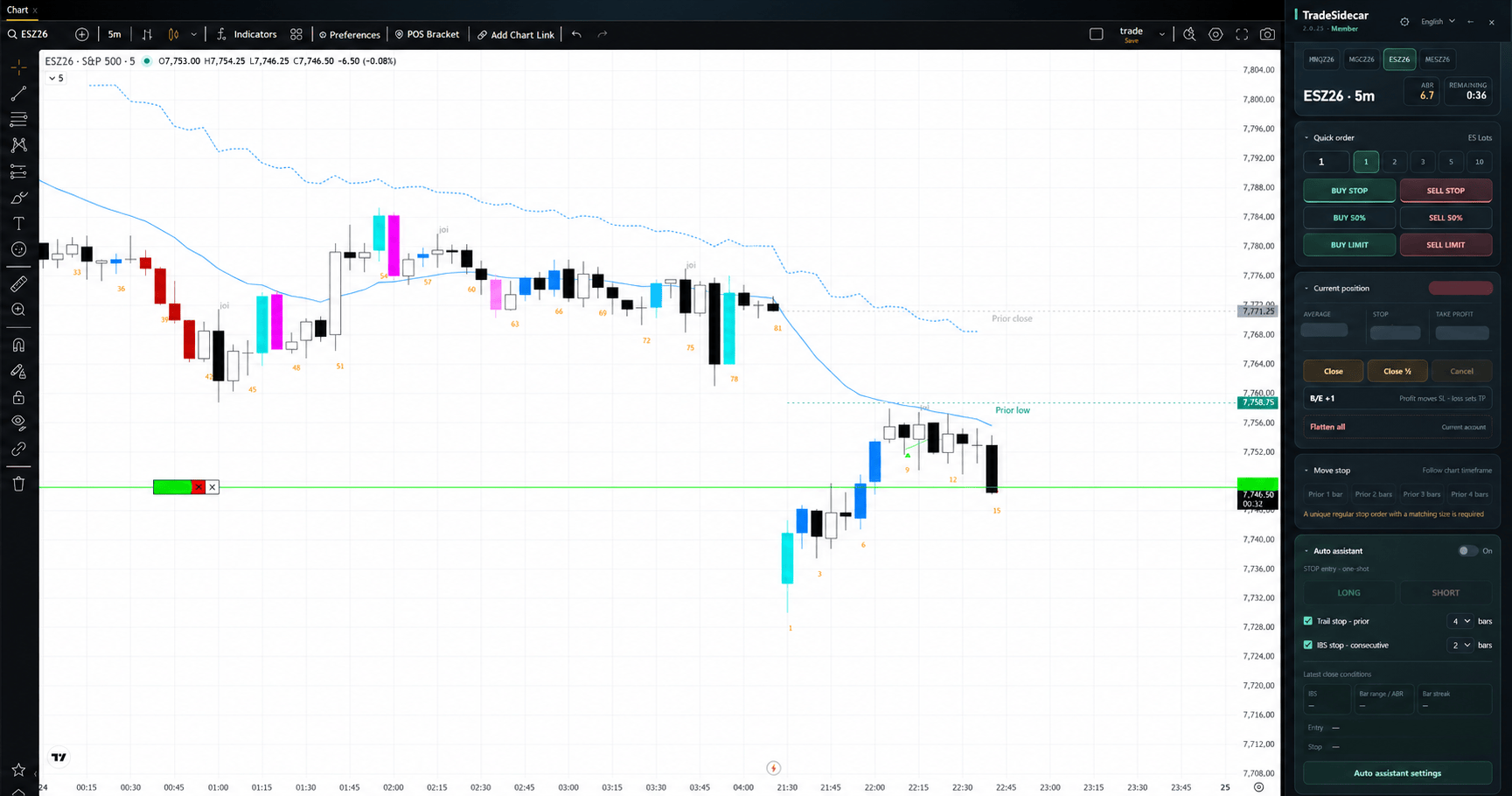
Product workspace preview based on a development-build capture · account and trade values obscured
AVAILABLE TODAY · PRODUCT SCREENS
See the tools on the chart.
Explore the current TopstepX workflow through actual development-build captures: chart context, execution, position controls, indicators and optional assistance. Account and position values are hidden.
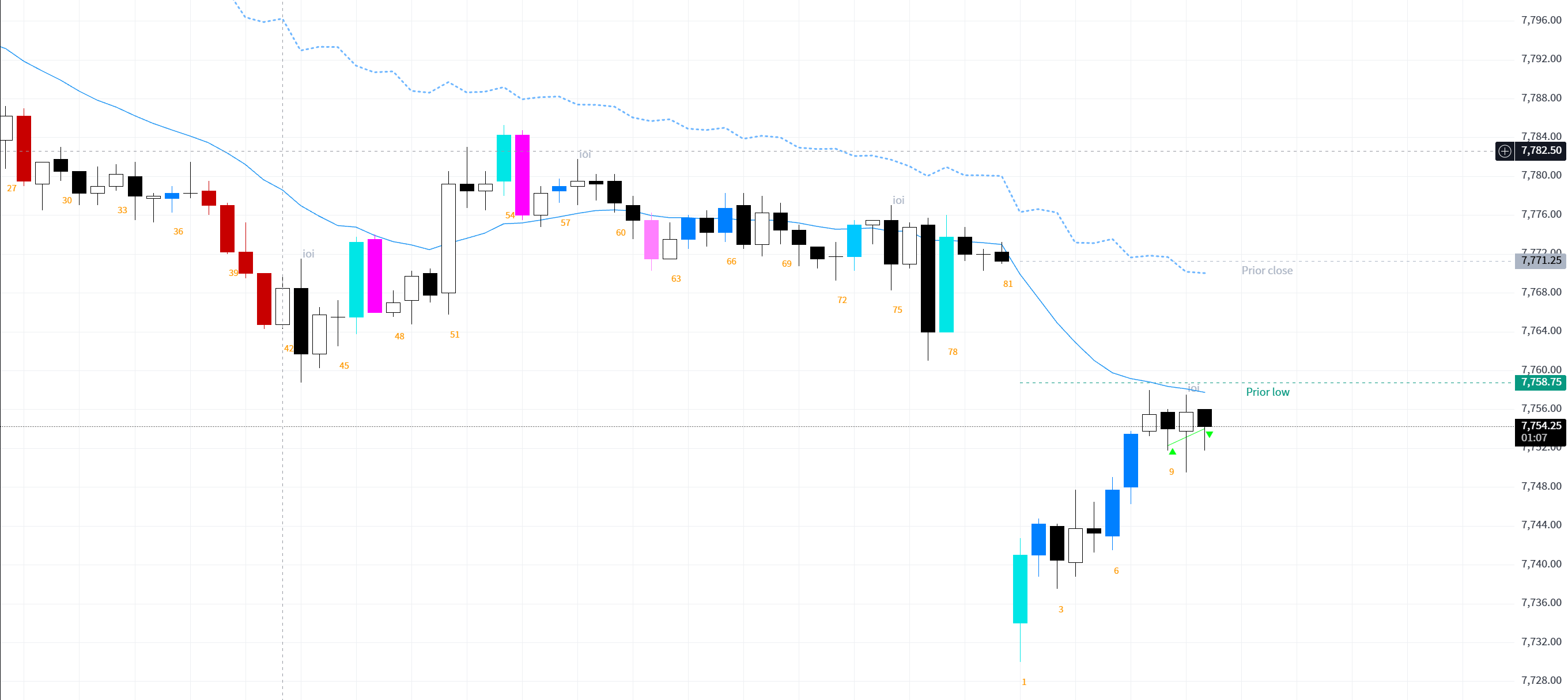
01 / CHART VIEWAnnotations on the active chartPrice-action labels, reference levels and indicator curves use the chart already open in TopstepX.
Inside the floating panel
Explore each control below. Select an image to enlarge it here.
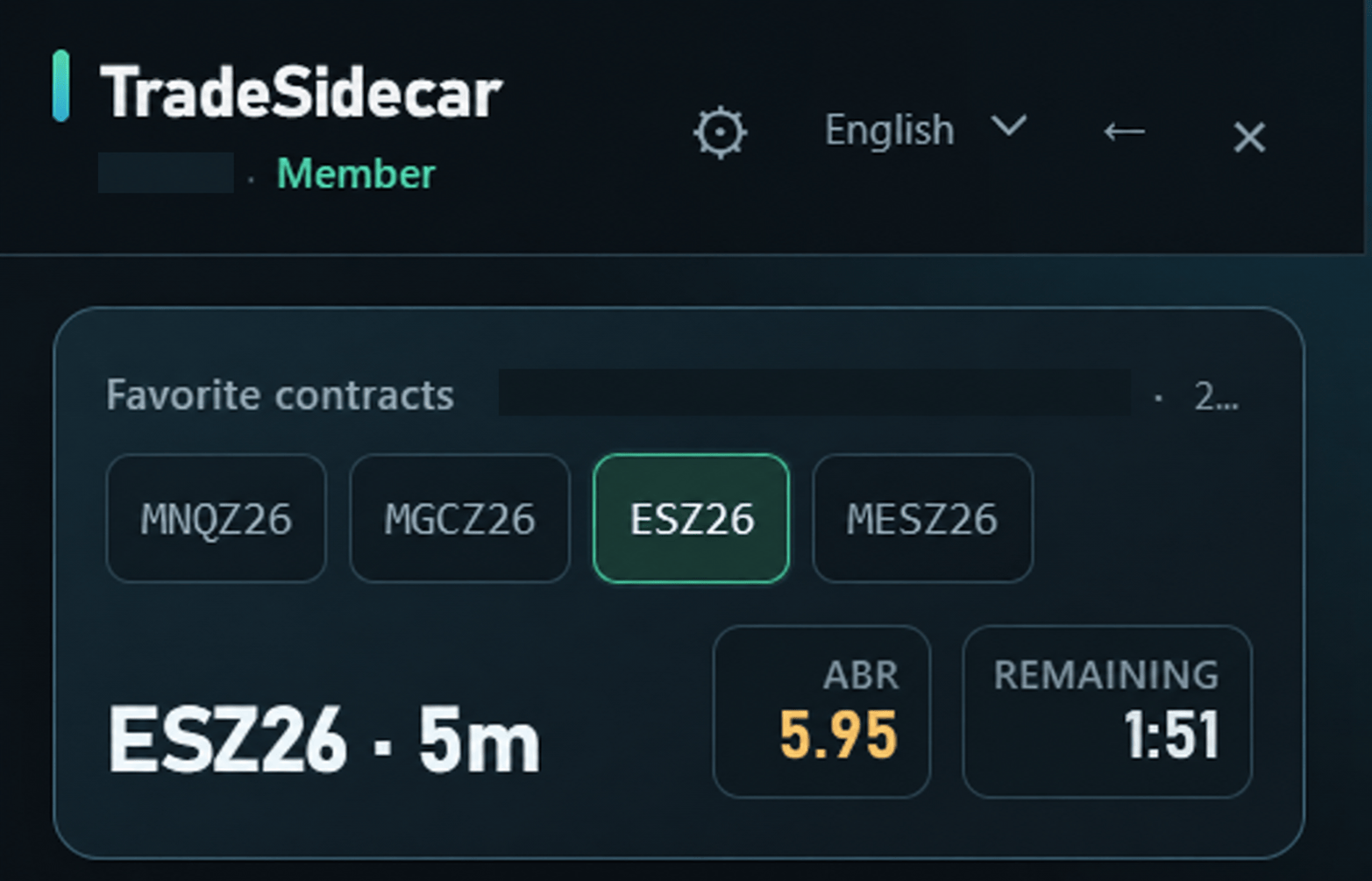
02 / CHART CONTEXTPick a favorite contractKeep the active symbol, timeframe, ABR and countdown in sight.
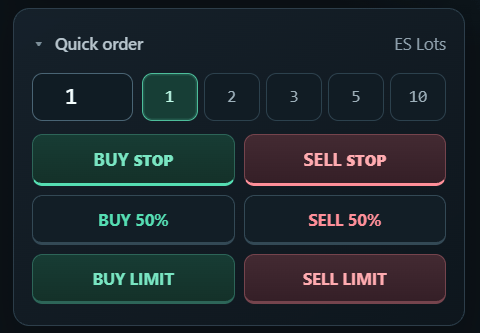
03 / EXECUTIONChoose size and actionSet quantity, then choose a STOP, 50% or Pro LIMIT entry.
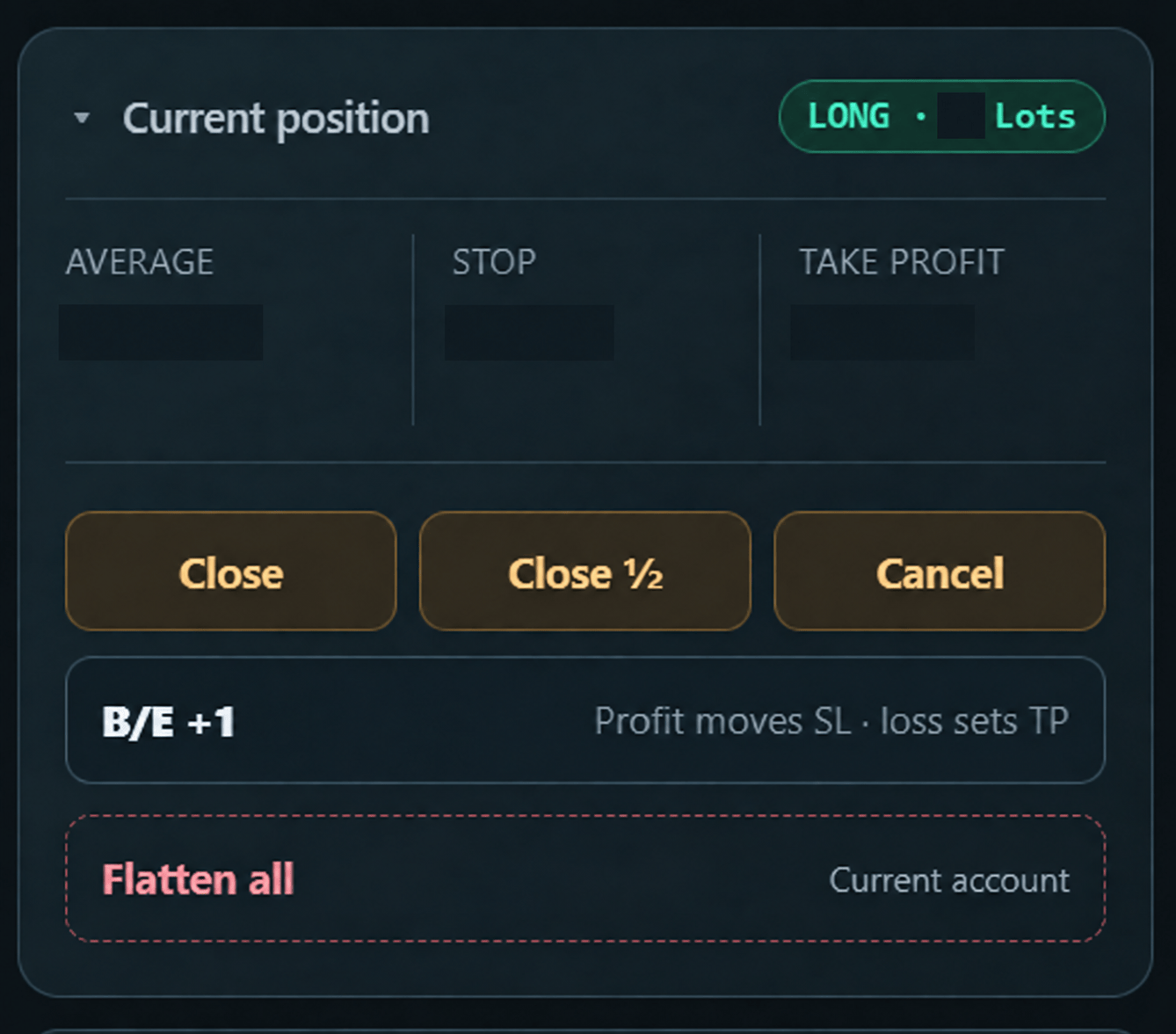
04 / POSITIONManage the open positionClose, reduce or move to B/E +1 from the same panel.
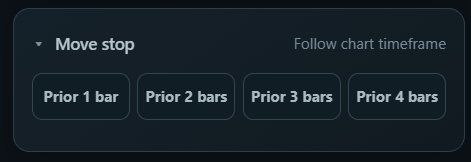
05 / STOPSMove a stop by recent barsChoose the number of closed bars to inspect for a manual stop move.
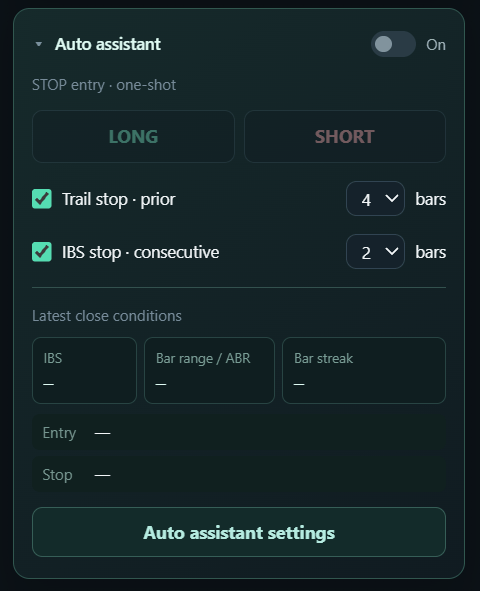
06 / OPTIONAL ASSISTANCEArm only when you chooseEntry and stop assistance remain under explicit user control.
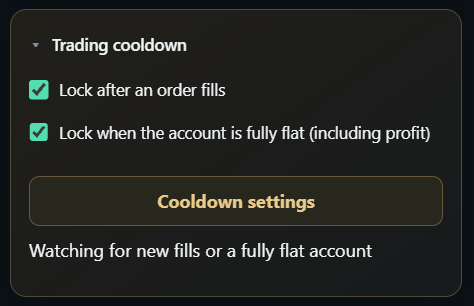
07 / COOLDOWNPause after an eventPause after an order fill or a fully flat account, with controls beside the chart.
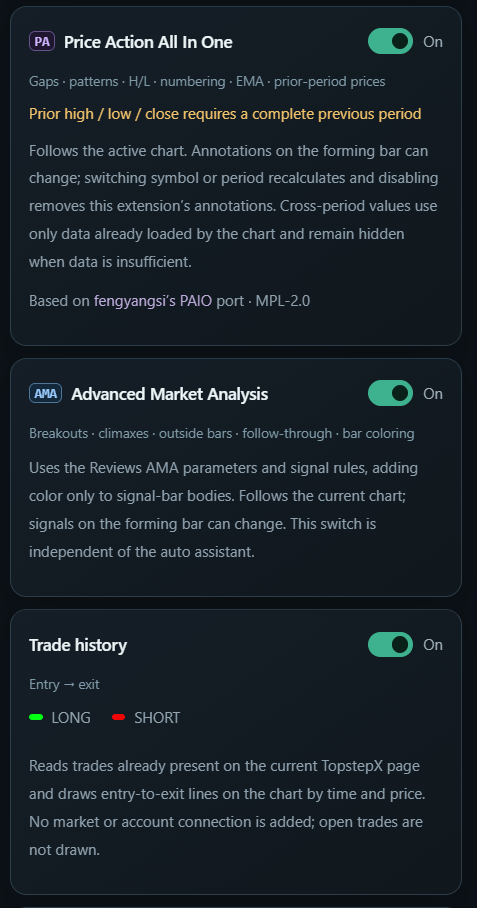
08 / INDICATORSChart context in one placePAIO, AMA and Trade history each have their own controls.
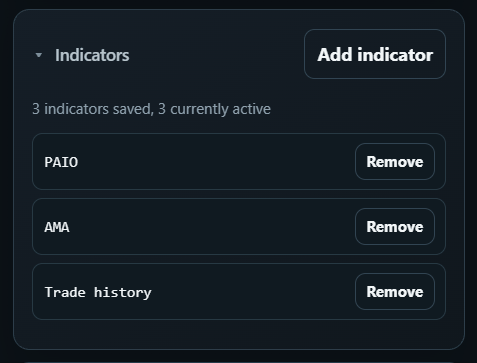
09 / SETUPSee what is activeReview saved indicators and remove only the ones you select.
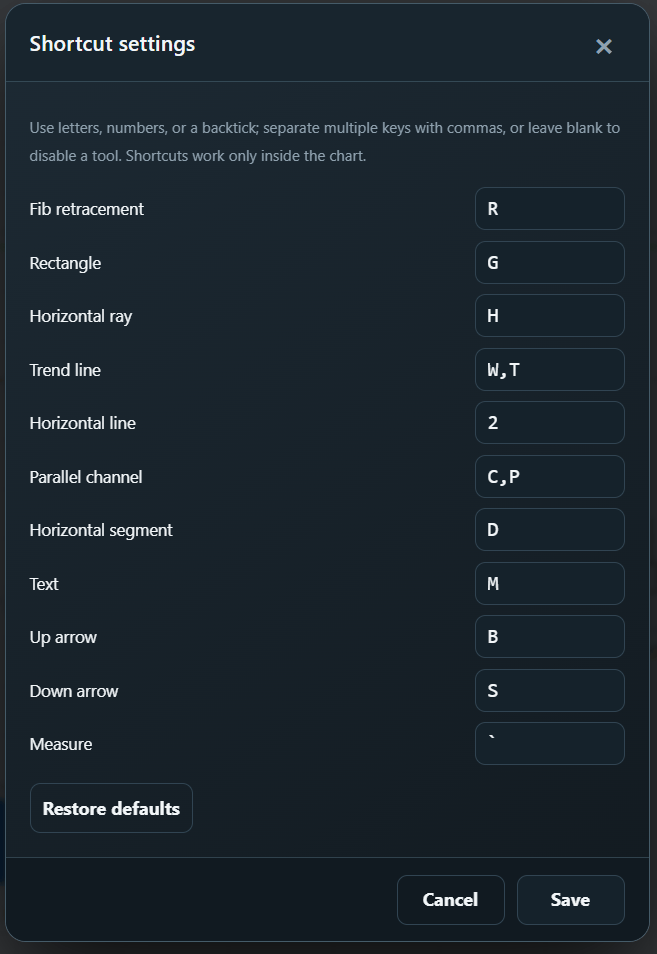
10 / DRAWINGMake shortcuts your ownSet keys for supported chart drawing tools.
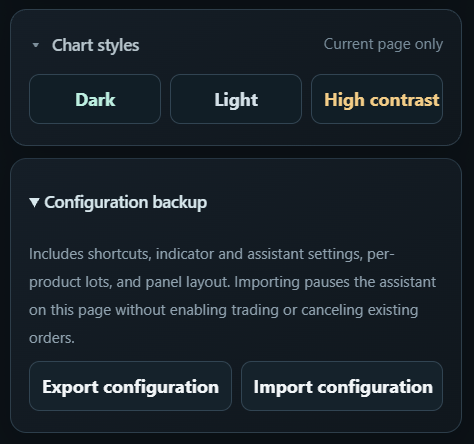
11 / PREFERENCESChoose a chart style and back up supported preferences.
Product interface preview from an unpublished development build. Account identifiers and position values have been obscured; features and plan access depend on the installed version.
WHY TRADESIDECAR
Less switching. More focus.
Your platform executes the trade. TradeSidecar reduces the friction around it.
WITHOUT TRADESIDECARWITH TRADESIDECAR
ChartChart + execution + position management
Separate order panelOne working context
Position controls elsewhereControls beside the active chart
More switchingLess repetitive friction
FREE VS PRO
Clear plans for today's workflow.
Compare the tools available for the current TopstepX workflow. Pro features require a verified TradeSidecar account.
Extreme-price LIMIT and automatic Open Long / Short
—
Included
Server-verified Pro entitlement
—
✓
Prices are in USD. Plans renew automatically for the selected billing period until cancelled. Waffo Pancake hosts checkout and handles payment details. See the cancellation and refund policy.
SECURE ACCOUNT & BILLING
Start with a verified account.
Sign in with Google or email. Payments are securely handled by Waffo Pancake. TradeSidecar never stores your card details.
TradeSidecar is an independent enhancement tool. You remain responsible for your account, platform and trading decisions.
Is TradeSidecar a trading platform?+
No. TradeSidecar is an independent workflow tool with a Chrome extension for TopstepX. It works beside the supported platform and does not replace a broker, prop firm or trading platform.
Which platforms are supported today?+
TradeSidecar currently supports TopstepX. The chart context is part of that TopstepX workflow; it is not a separate TradingView integration.
Does TradeSidecar store my trading credentials?+
No. The current extension does not collect your platform password, Google password, payment-card number or platform authentication token. See Security & Data for the permission list.
Can TradeSidecar submit orders automatically?+
Only after you explicitly enable the automatic assistant, choose LONG or SHORT and arm the workflow. It evaluates the configured closed-bar conditions and can submit one configured action, then stops. It does not choose a strategy or run by itself, and manual actions remain available.
Does current chart or order data go to an AI provider?+
No. The current extension does not send chart or order data to an AI provider.
What happens when I cancel Pro?+
Cancel through Manage billing. Cancellation prevents the next renewal, and access normally remains available through the paid billing period. See the cancellation and refund policy.
Can I request a refund?+
Yes, contact support@tradesidecar.com promptly with the account email and charge date. Requests are reviewed under the published policy, Waffo Pancake's merchant terms and applicable law.
Is TradeSidecar affiliated with Topstep or Tradovate?+
No. TradeSidecar is an independent third-party product and is not affiliated with, sponsored by or endorsed by Topstep, TopstepX, Tradovate or their respective owners.